Give the operator a focused workspace to capture weights, handle vehicle records and print slips. The basic
offline app works without web support.
Live indicator readingsGross, tare &
recallOffline desktop optionStore-level setup
01 / 07
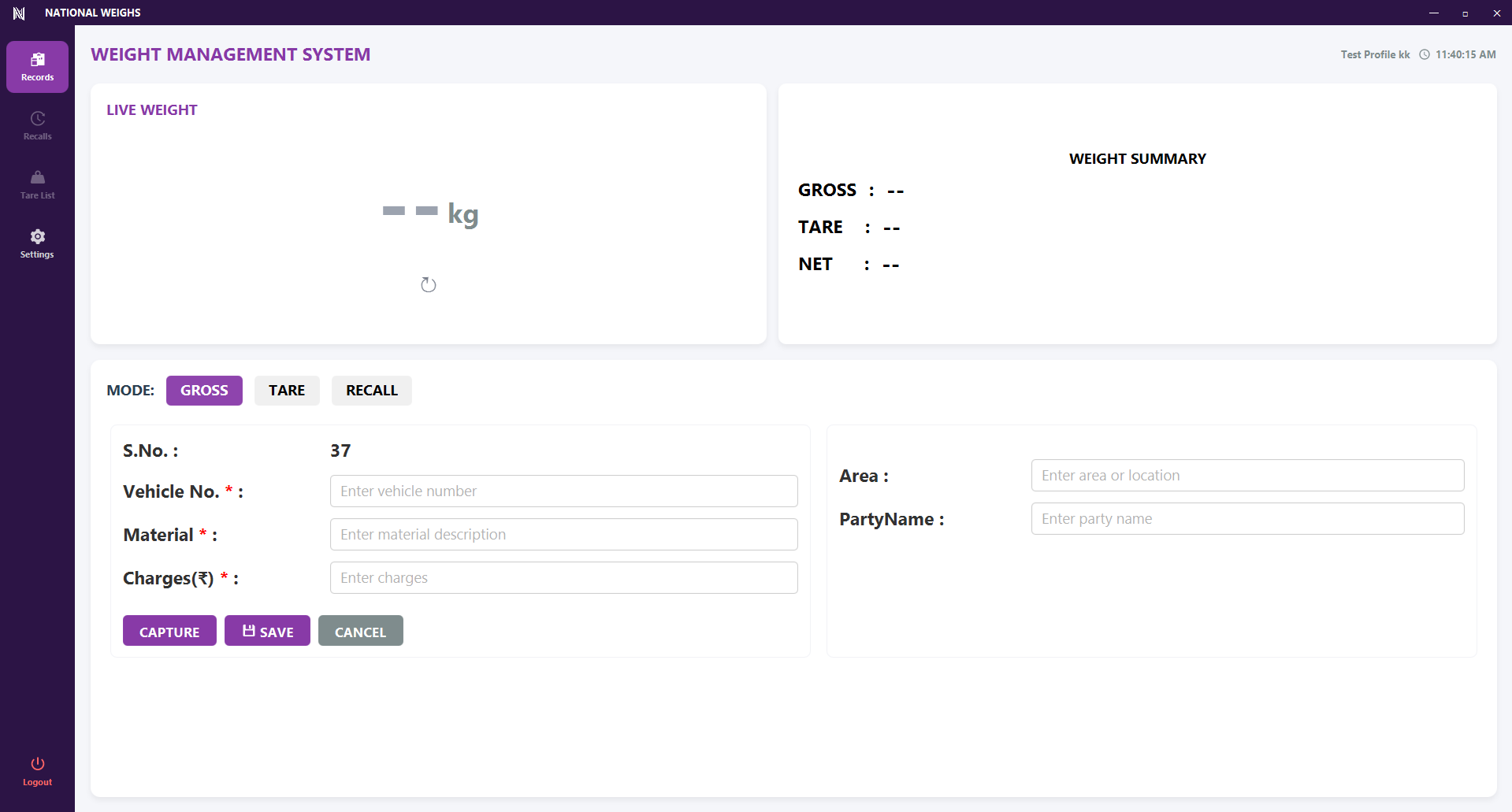
One workspace. Every weighment.
Capture readings from the indicator and enter vehicle, material, party and charge details. Gross, tare
and net weights stay together on screen.
DESKTOP · STORE OPERATIONS
02 / 07
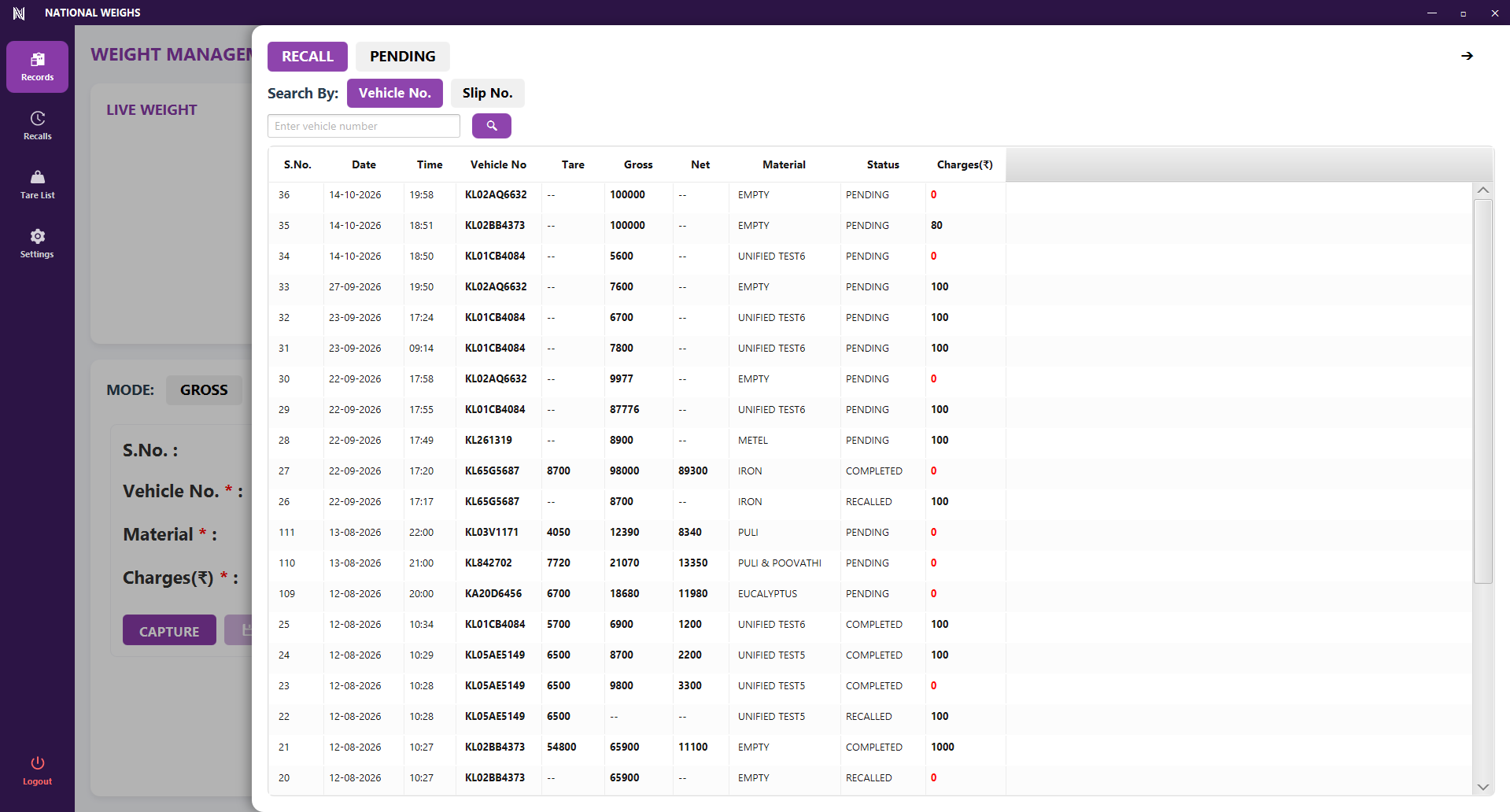
Pick up where the vehicle left off.
Search by vehicle or slip number to find pending and recalled weighments. Review the recorded weight,
material, status and charges before continuing the job.
DESKTOP · RECORD LOOKUP
03 / 07
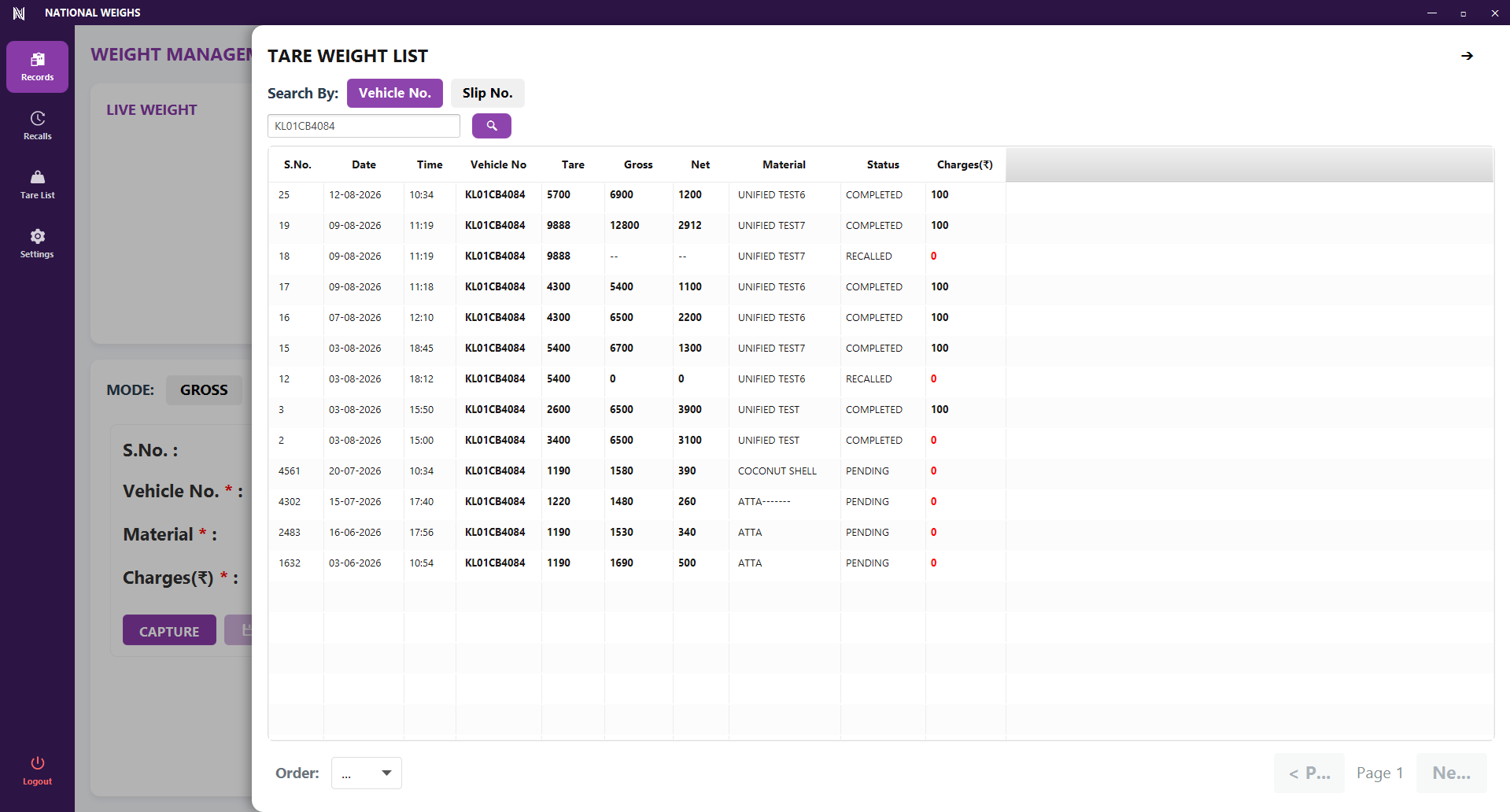
Past tare readings, easy to find.
Look up earlier tare records by vehicle or slip number, and browse the weighing history while working
at the weighbridge.
DESKTOP · TARE HISTORY
04 / 07
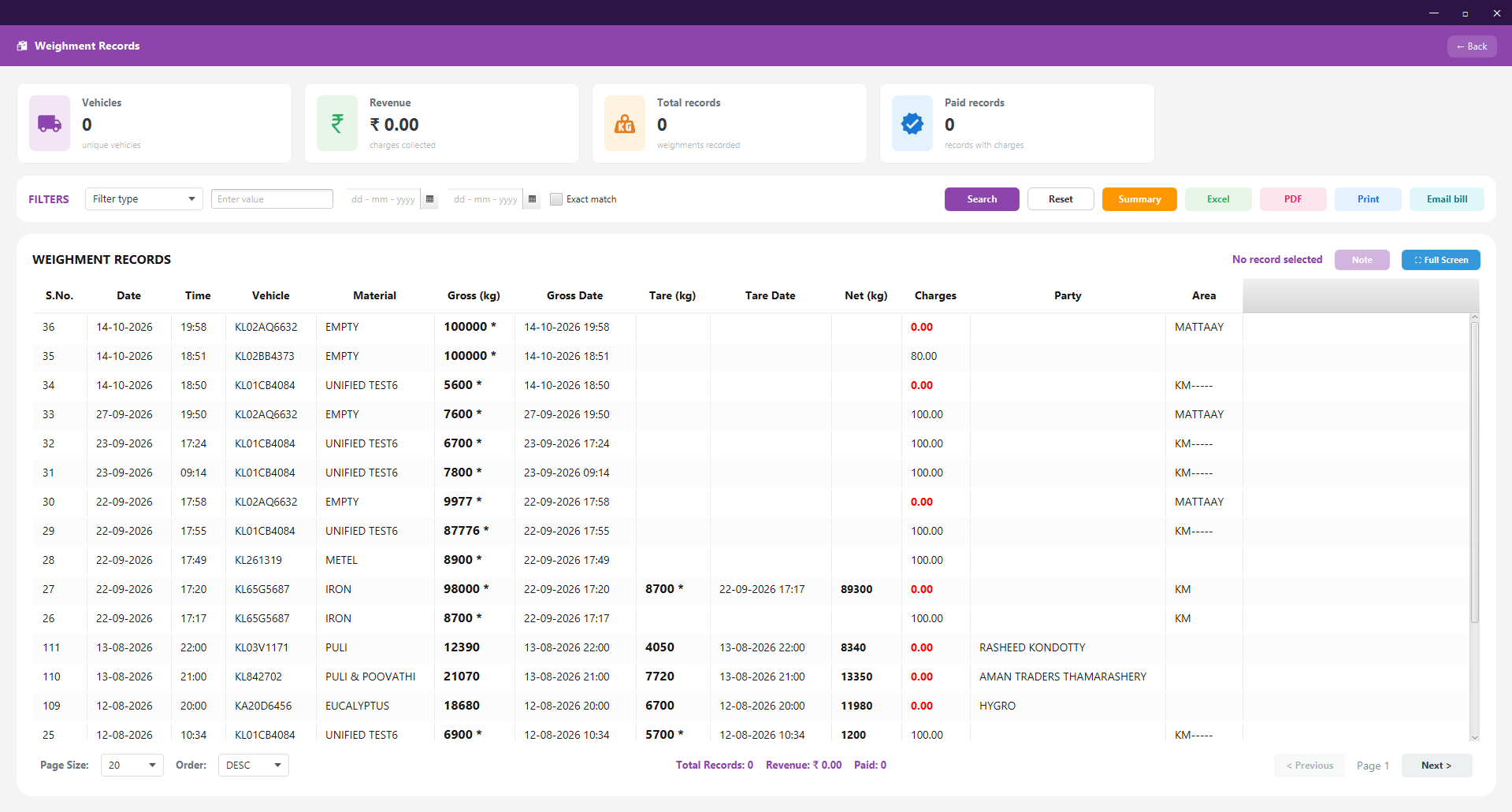
The day’s work, ready to review.
Search and filter weighment history, review report cards and summaries, and prepare PDF, Excel or
printed reports with the features enabled for your store.
DESKTOP · REPORTING
05 / 07
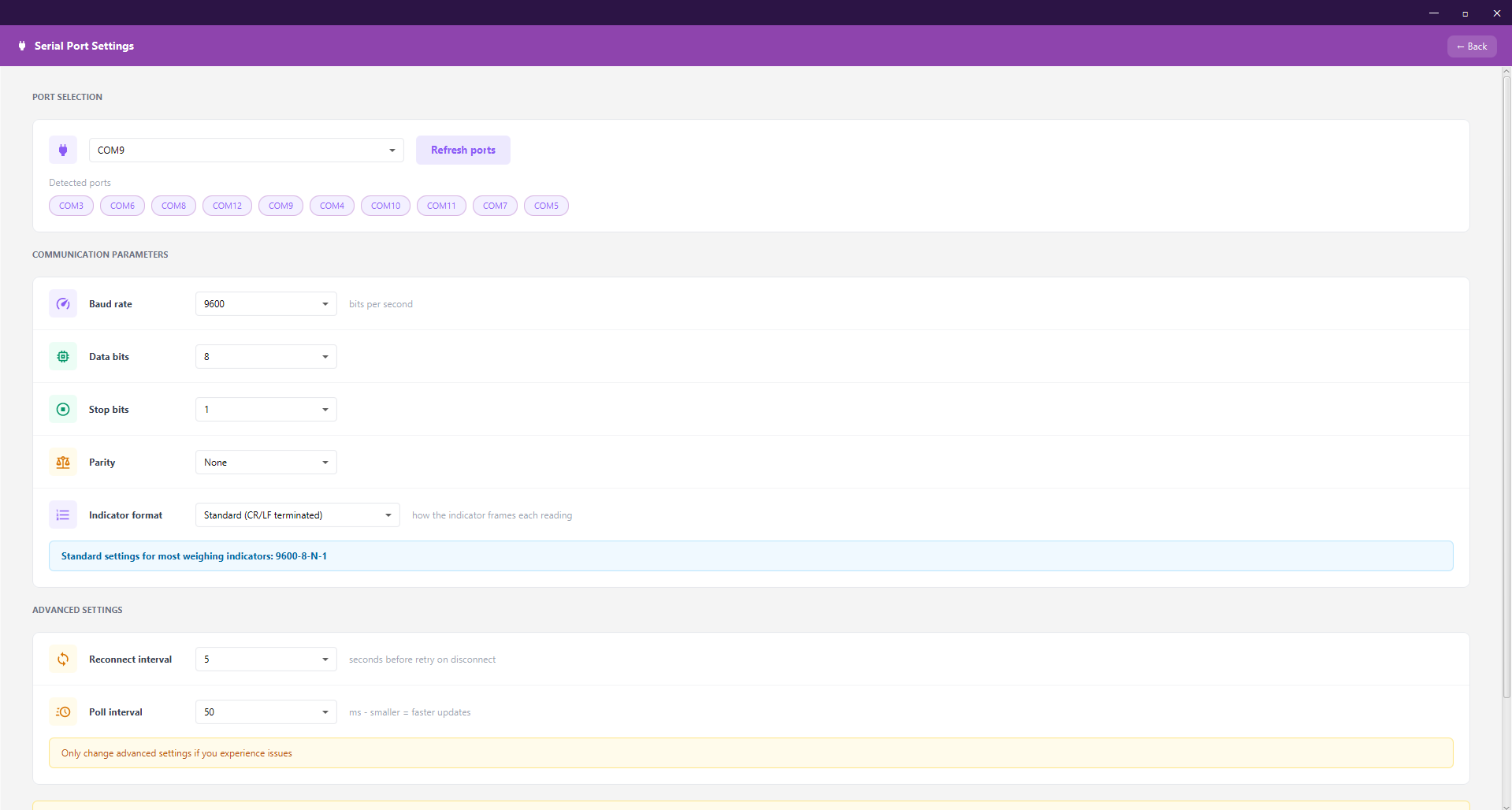
Connect to the equipment on site.
Configure COM ports and communication settings to suit the weighing indicator, including baud rate,
parity, indicator format and connection timing.
DESKTOP · HARDWARE SETUP
06 / 07
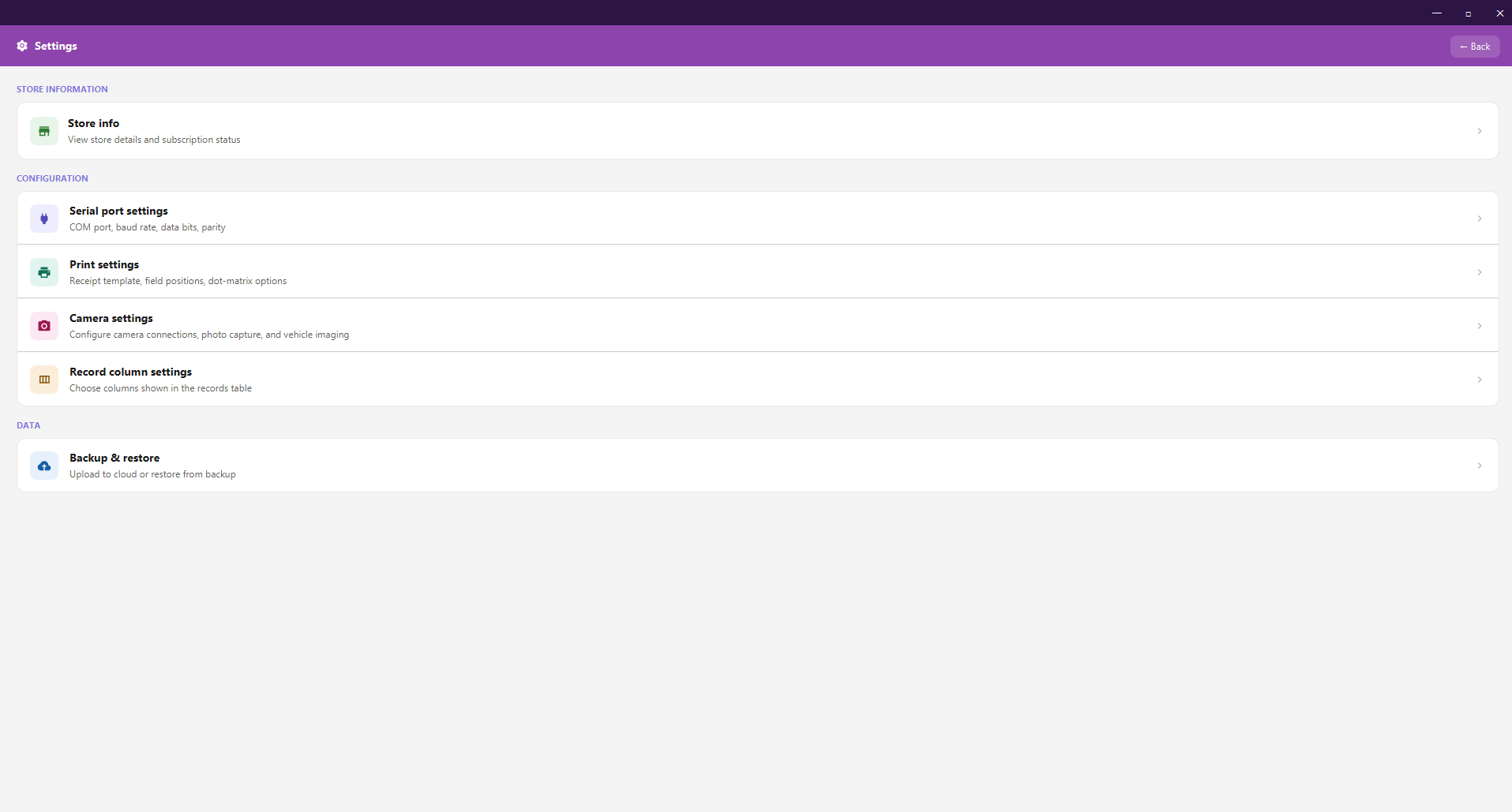
Set up each store’s way of working.
Access store details, indicator connections, print settings, record-column settings and backups from
one place. Settings access is controlled by permissions.
DESKTOP · CONFIGURATION
07 / 07
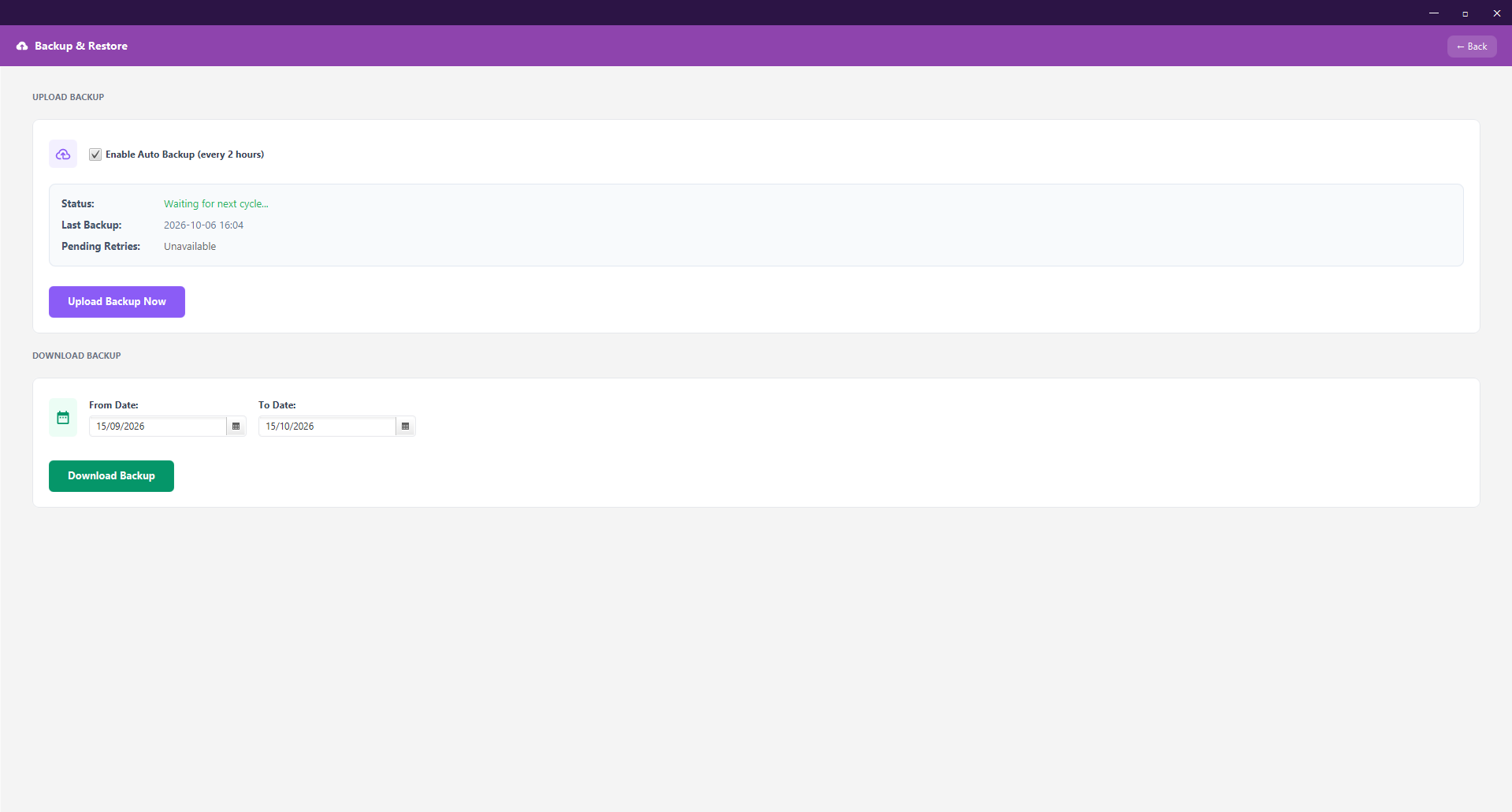
Keep backups within reach.
Manage automatic backups, check backup status, upload when needed and choose a date range for
downloads. Online backup needs a connection and the relevant feature access.
DESKTOP · BACKUP
02 THE WEB APPLICATION
A central view. A clearer operation.
Bring administration together across your stores. Manage people and partner access, review activity and
work with reports from the web application.
Store administrationStaff & partner
accessCentral reportsBusiness summaries
01 / 05
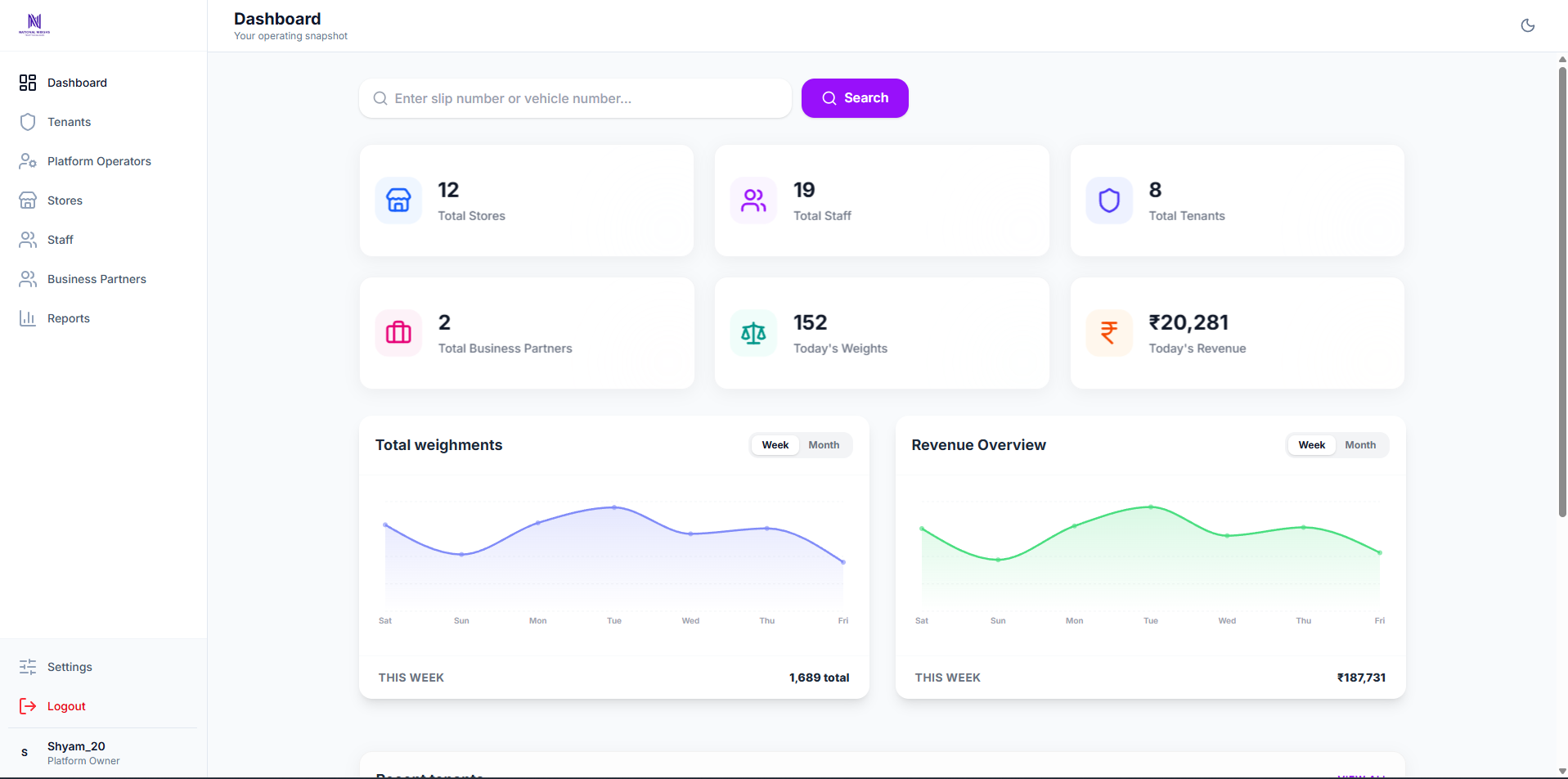
See the operation at a glance.
Review overview cards and weighment and revenue trends. The dashboard’s scope follows the user’s role
and assigned access.
WEB · OVERVIEW
02 / 05
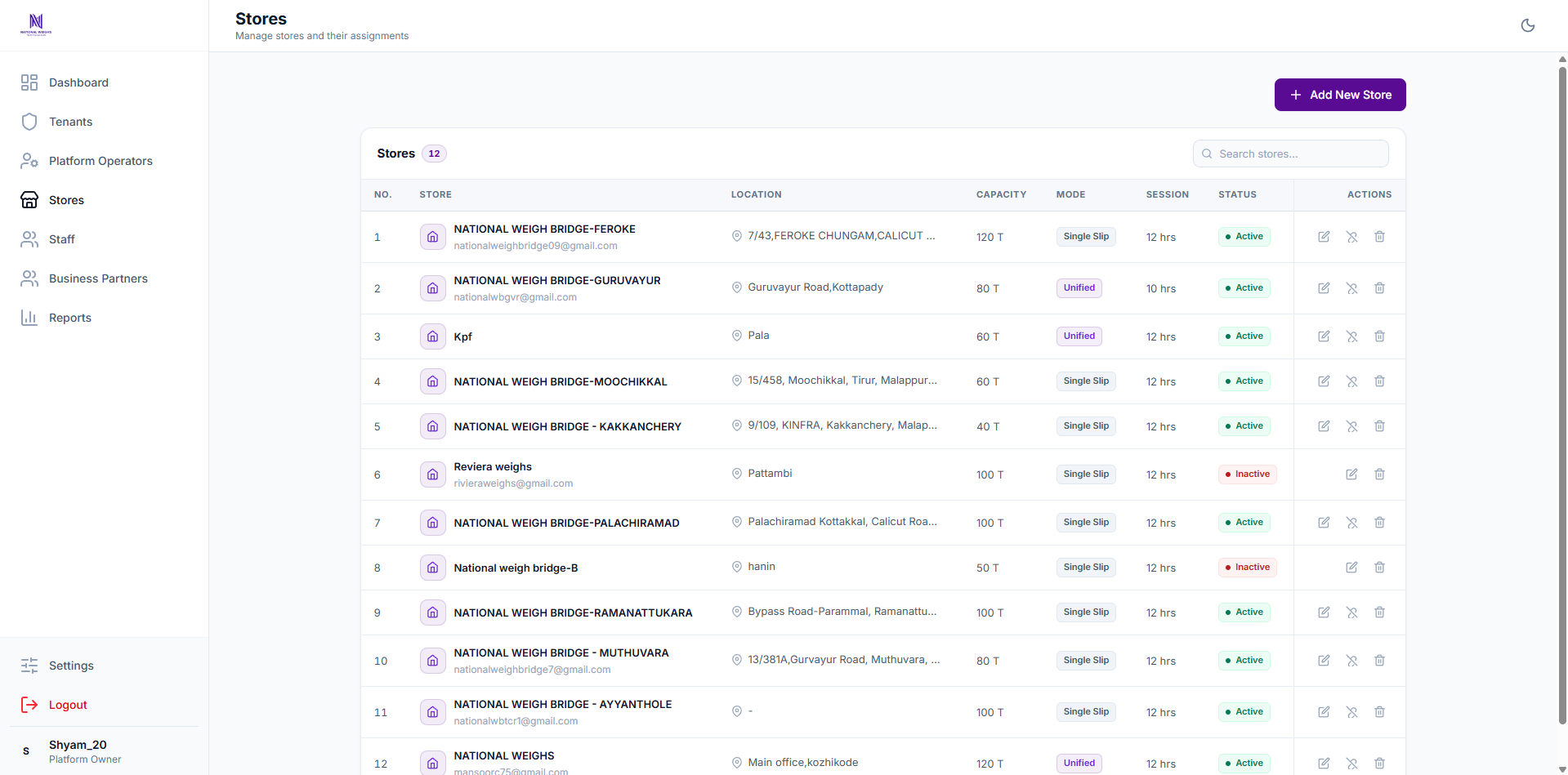
Keep every store in view.
Manage store access and review operating details, including location, capacity, operating mode and
status, from the administration workspace.
WEB · STORE MANAGEMENT
03 / 05
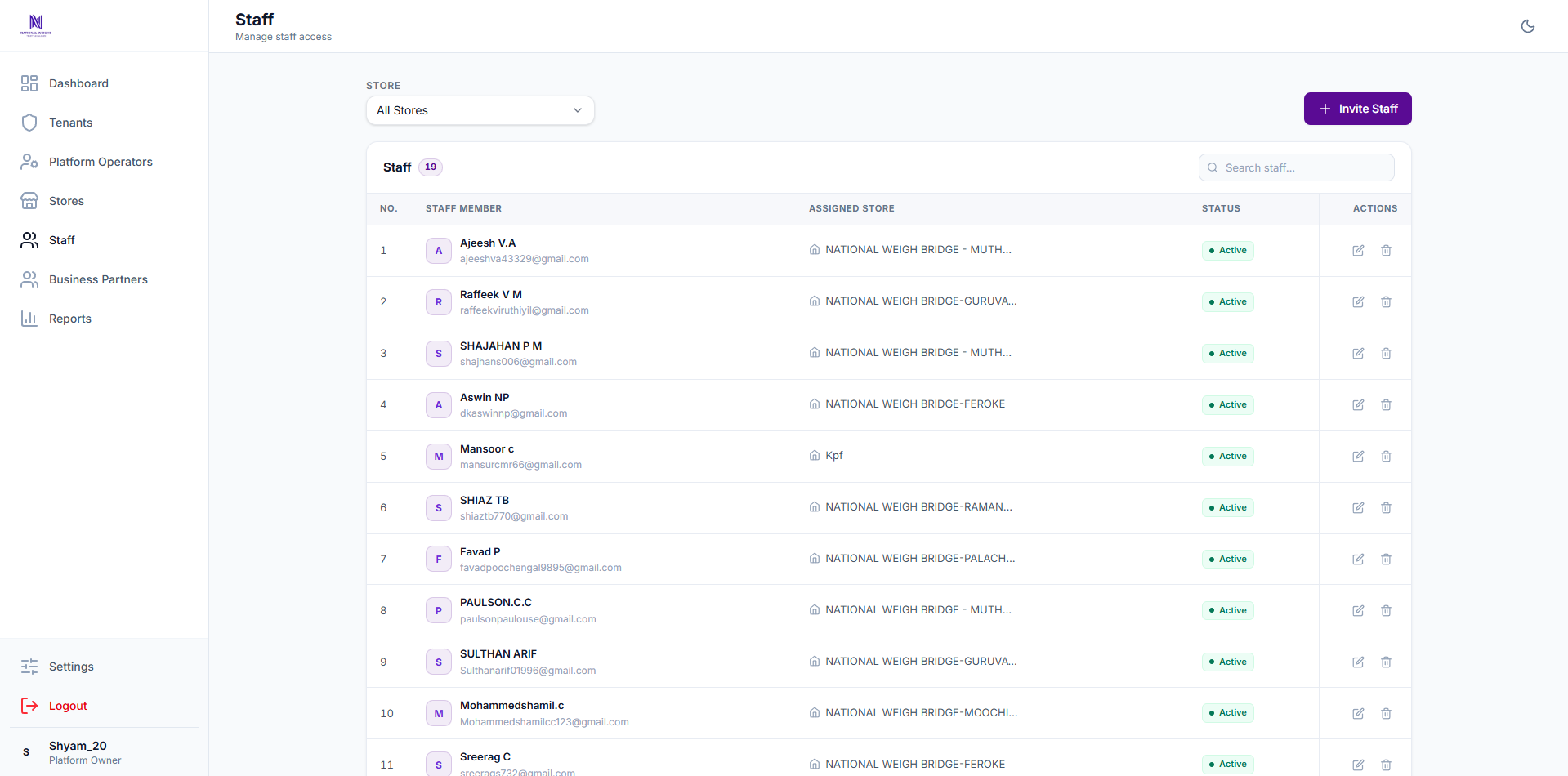
The right people, at the right stores.
Invite staff, manage their store assignments and review access centrally. Search and store filters
make the team easier to manage.
WEB · STAFF ACCESS
04 / 05
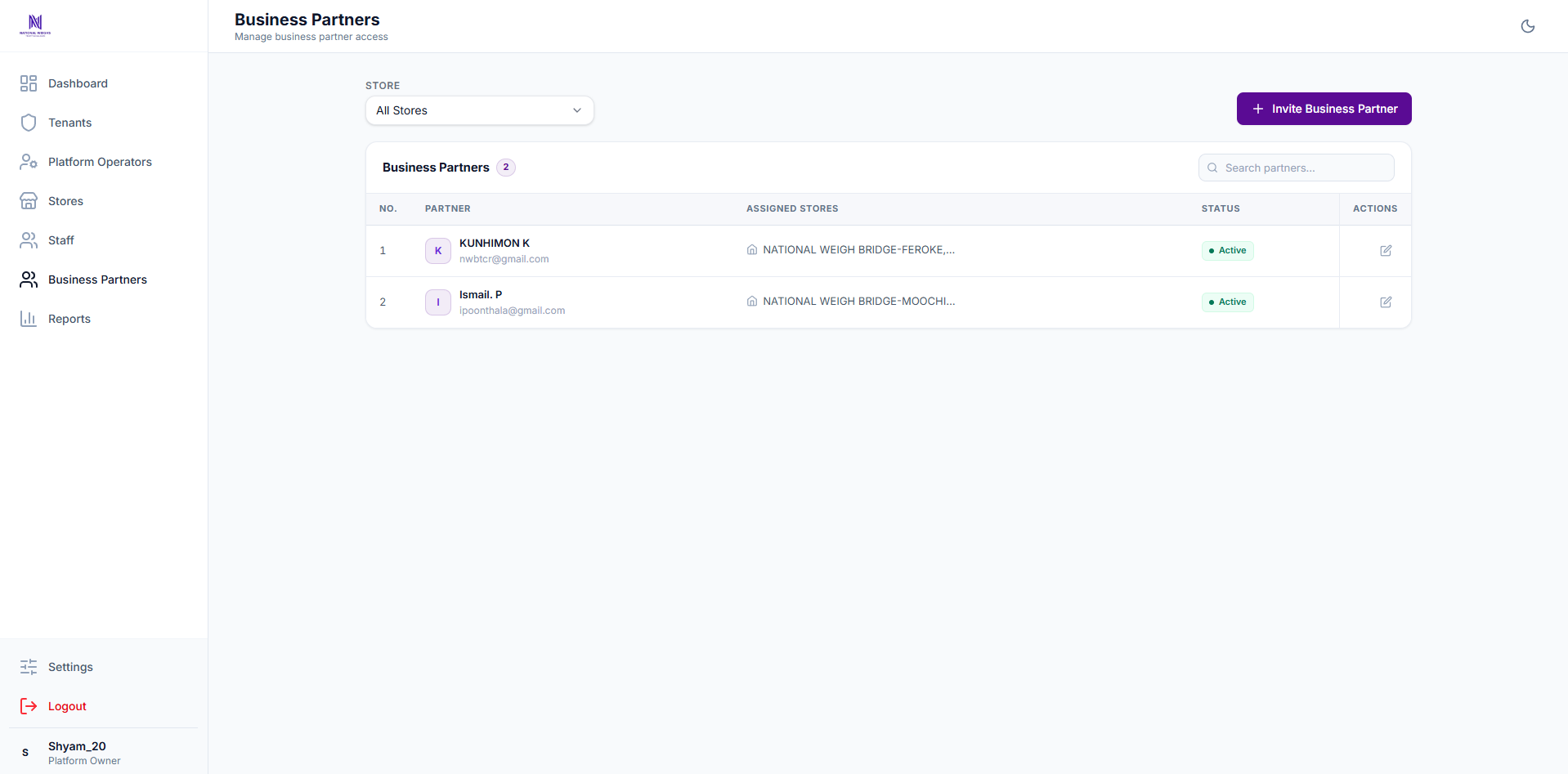
Give partners relevant access.
Manage partner invitations, assigned stores and active status. Partner access stays separate from
platform administration.
WEB · BUSINESS PARTNERS
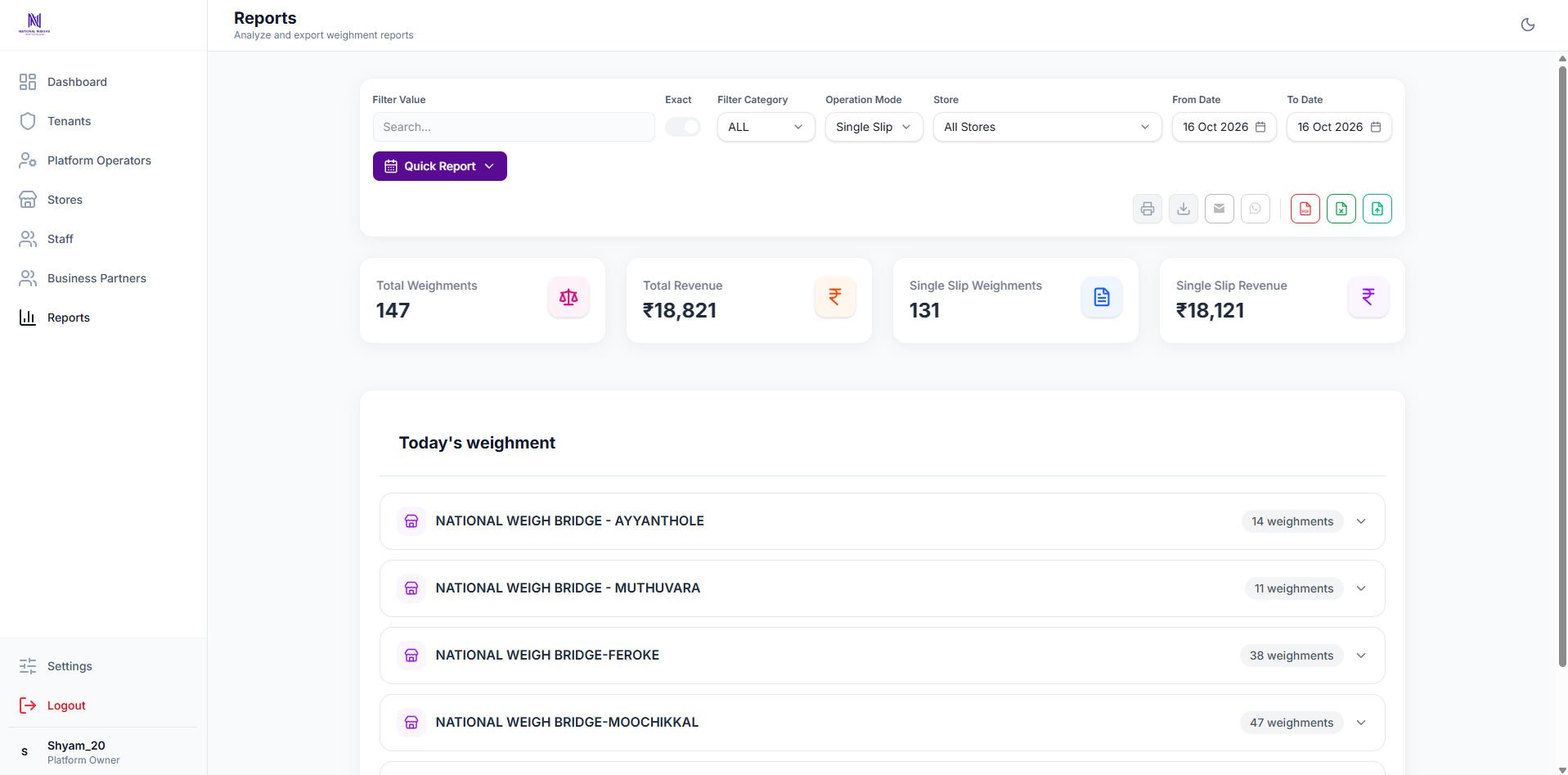
05 / 05
Turn records into a useful overview.
Filter weighments by store, period and category. Review summaries and export PDF or Excel reports
where those features are enabled.
WEB · CENTRAL REPORTS
These web examples were captured with a platform-owner account. Store administrators,
staff and partners see only the views permitted by their access.
MORE THAN A WEIGHT READING
Make the software fit the way you work.
Combine the essentials with reporting, sharing and configuration tools. Availability depends on your plan and
the permissions enabled for your account.
WEIGH & RECORD
Flexible data entry
Capture live readings directly from the weighing indicator. Record the details your business needs with
numeric and text custom fields, including additional text fields.
Live indicator readings
Numeric & text custom fields
Record settings
PRINT & CUSTOMISE
Your slip. Your layout.
Select a print template and configure printing for the store. The print-template editor supports field
placement and a background image.
Print configuration & template selection
Custom field placement
Template background image
REVIEW & EXPORT
Reports with the right detail
Use report cards and summaries to review activity. Choose report columns, customise column names and export
records for further work.
Desktop report cards & summaries
PDF & Excel reports in desktop and web
Column selection & custom names
SHARE & FOLLOW UP
Bills within easy reach
Share bills through email or WhatsApp with the relevant feature enabled. Review the store’s message
submission history to see what was submitted.
WhatsApp bill sharing
Email bill sharing
Store-scoped submission history
IMPORT & BACK UP
Keep records manageable
Import Excel data through the web app and use the backup tools available to your store. Backup settings
have their own access controls.
Excel import on the web
Data backup
Backup settings & downloads
PLANNED
Vehicle camera capture
IP camera capture for vehicle photographs is planned. Ask our team about availability for your
installation.
Operate the store’s desktop app and use the weighing, records and settings tools they have been
granted.
02
Central administrators
Manage permitted stores, staff and partner access, and review reports across the operation.
03
Business partners
Use the views granted for their assigned stores. Partner access does not include platform
administration.
04
MWeighs platform team
Desktop diagnostics are reserved for platform owners and operators. Company advertising on the desktop
is managed at platform level, never through tenant or business-partner access.
SEE IT WITH YOUR WORKFLOW
Let’s walk through your next working day.
See how WEIGHNOTE fits your stores, equipment and team in a free demo.